Artificial Intelligence is transforming the way we communicate, work, and even think. One standout innovation in this space is the OpenAI ChatGPT app, which is available for Android, iOS, Desktop (Windows PC and Mac). This powerful AI tool brings the full capabilities of AI-powered conversations to your fingertips, enabling users to generate content, brainstorm, solve problems, automate tasks, learn new things and much more.
If you’re eager to harness the power of ChatGPT on your mobile device or desktop, this guide will walk you through the process of downloading and installing the OpenAI ChatGPT app on Android, iOS, Windows PC, and Mac. Let’s get started!
What is OpenAI ChatGPT App?
Before diving into the download process, let’s take a brief look at what ChatGPT is all about.
ChatGPT app is an AI-powered chatbot developed by OpenAI, based on the GPT (Generative Pre-trained Transformer) architecture. The “GPT” architecture which include AI language models such as GPT-3, GPT-3.5, and GPT-4 was designed to understand and generate human-like text based on the input it receives.
Unlike traditional chatbots with pre-programmed responses, ChatGPT leverages its vast training data – an enormous dataset of text and code – to understand the nuances of your queries and generate contextually relevant and insightful responses, making it an indispensable tool for a wide range of applications, from casual conversation to professional content creation, all within an intuitive and user-friendly interface.
Initially available on the web at https://chat.openai.com, which now redirects to https://chatgpt.com, OpenAI expanded its reach by launching the ChatGPT mobile app for Android and iOS users, making it more accessible for users to interact with the AI assistant on the go.
Key Features of OpenAI Chat GPT App
The ChatGPT app is packed with powerful features, including:
- Conversational AI: Chat naturally with the AI, ask questions, brainstorm ideas, or get help with tasks.
- Text Generation: Generate various forms of text content, including articles, summaries, poems, code snippets, and more, based on your prompts.
- Multimodal Input: Upload images or documents and get analysis, summaries, and feedback.
- Voice Mode: Have spoken conversations with ChatGPT in real-time using natural voices.
- Code Interpreter: For data analysis, calculations, file conversions, and more.
- Cross-device Sync: Your conversations and history sync across mobile and desktop.
- Chat History: Access and revisit past conversations at any time.

OpenAI ChatGPT Price: Understanding Chat GPT Subscription Pricing Options
OpenAI offers both a free tier and a premium subscription plans for the OpenAI ChatGPT app, catering to different user needs. The pricing structure includes:
OpenAI ChatGPT Free Plan
The free plan allows users to access ChatGPT with some limitations on usage and features. This plan is ideal for casual users who want to explore the capabilities of the chatbot.
The free chatgpt plan also supports code edits with the ChatGPT desktop app for macOS.
OpenAI ChatGPT Paid Plans
The paid plan offers everything in the free chatgpt plan plus additional features, priority access, and higher usage limits. This plan is suitable for businesses, developers, and heavy users who require more advanced functionalities including ChatGPT api access.
Pricing for the chatgpt paid plans starts from $20 per month.
You can check the OpenAI pricing page for price list of chatgpt paid plans.
How to Download OpenAI ChatGPT App for Android and iOS
Downloading and installing the OpenAI ChatGPT mobile app on your Android or iOS device is simple and straightforward process that can be completed in a few steps.. Here’s how to do it based on your device:
OpenAI Chatgpt App Download for Android
- Open Google Play Store on your device.
- In the search bar, type: “ChatGPT”.
- Confirm that the app is published by OpenAI (many clones exist — avoid those).
- Tap Install and wait for the app to download.
- Open the app once the installation is complete.
Alternatively, use this direct link to download:
ChatGPT App on Google Play

You can also download chatgpt apk file from trusted android apk stores but I recommend you download official chatgpt app from the app stores.
OpenAI Chatgpt App Download for iOS Users (iPhone and iPad)
- Open the App Store on your iOS device.
- Search for “ChatGPT “.
- Check that it’s published by OpenAI.
- Tap Get to download and install the app.
- Launch the app after installation.
Direct link for iOS users:
ChatGPT App on App Store
Download Chatgpt Desktop App For PC and Mac
Although ChatGPT app originally launched as a web-only tool, OpenAI has now released a desktop version of ChatGPT for both Windows and Mac. This is great news for users who want a native app experience on their computers.
OpenAI ChatGPT App Alternatives
While the OpenAI ChatGPT app is one of the best AI assistants, here are a few alternatives:
- Google Gemini (formerly Bard)
- Deepseek AI
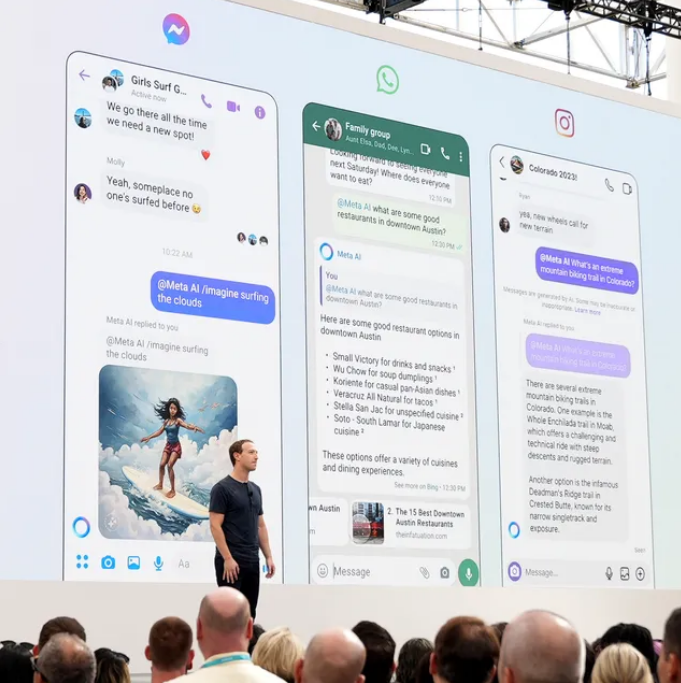
- Meta AI
- Microsoft Copilot (powered by OpenAI)
- Claude by Anthropic
- Perplexity AI
- Pi by Inflection
Each tool has its strengths, but ChatGPT stands out for its advanced capabilities and smooth mobile integration.
F.A.Q
Is Chat GPT Free?
Yes, ChatGPT offers a free version with access to its core features. However, certain advanced features and priority access are reserved for subscribers of ChatGPT Plus and team/enterprise plans
How Do I Upgrade To ChatGPT Paid Plan?
You can upgrade to ChatGPT paid plan by logging into your OpenAI account, navigating to the subscription section and selecting the ChatGPT Plus plan. Payment details will be required to complete the upgrade.
Final Thoughts
The ChatGPT app from OpenAI is a powerful AI assistant available for Android, iOS, Windows, and macOS. Whether you’re looking to write faster, learn better, or simply enjoy intelligent conversations, ChatGPT is one of the best tools out there.
With both free and paid options, it caters to casual users and professionals alike. And with features like voice mode, image recognition, and desktop support, OpenAI continues to redefine what’s possible with AI.
So don’t wait—download the latest version of the ChatGPT app today, and experience the future of communication, creativity, and productivity at your fingertips!
Recommended